> For the complete documentation index, see [llms.txt](https://support.backpack.exchange/llms.txt). Markdown versions of documentation pages are available by appending `.md` to page URLs; this page is available as [Markdown](https://support.backpack.exchange/support-docs/ru/koshelyok/nachalo/import-vosstanovlenie-koshelka.md).
# Импорт/восстановление кошелька
{% hint style="info" %}
Этот документ переведён с помощью машинного перевода и может содержать неточности. В случае расхождений руководствуйтесь [английской версией](https://support.backpack.exchange/).
{% endhint %}
Существующий кошелёк можно импортировать или восстановить в Backpack с помощью фразы восстановления. Выполните шаги для своего устройства.
### Импорт или восстановление Backpack Wallet с помощью seed-фразы (мобильное приложение)
1. Нажмите значок профиля в левом верхнем углу.
2. На вкладке **Wallets** нажмите значок **+**, чтобы добавить кошелёк.
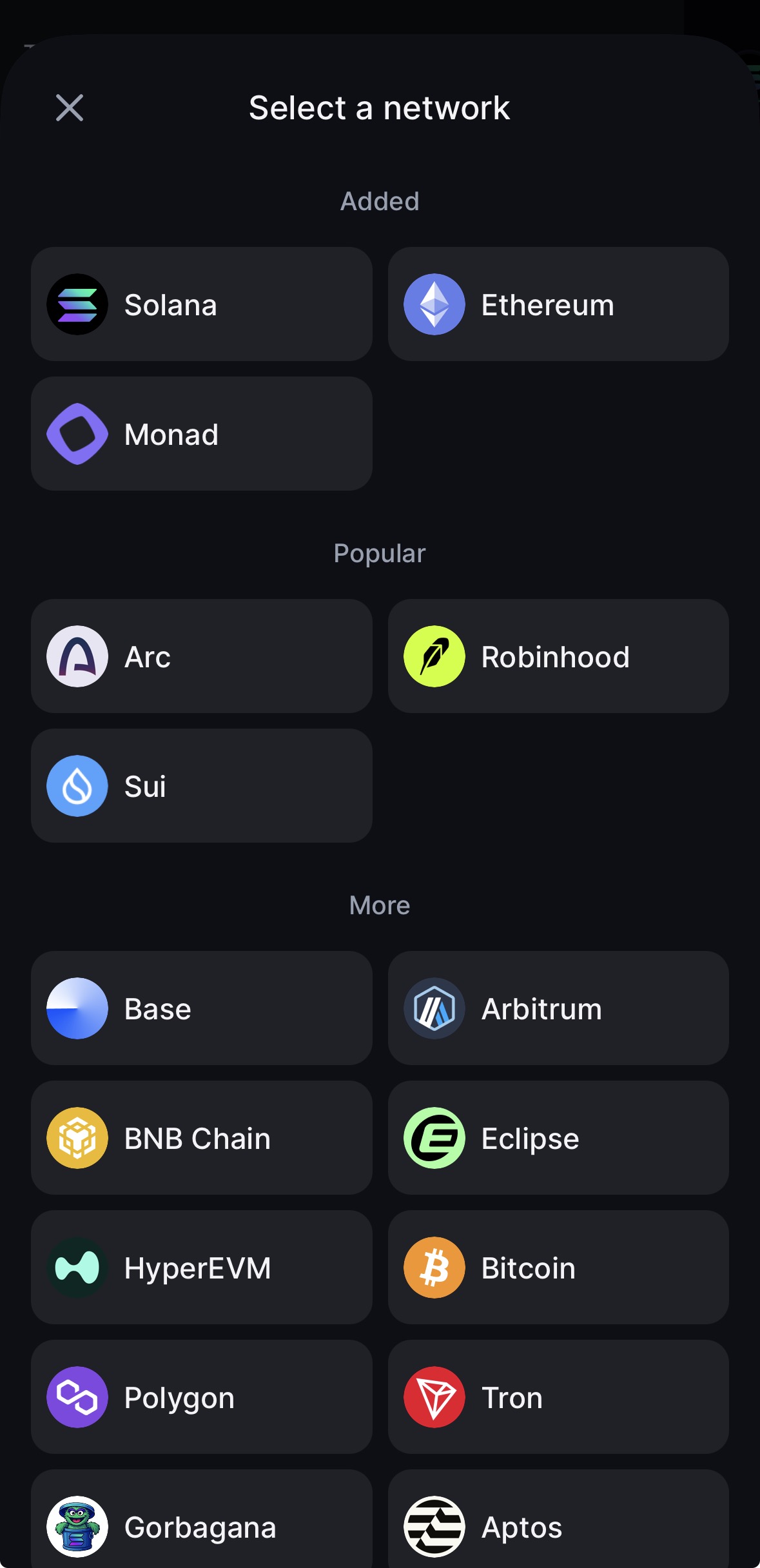
3. Выберите сеть.
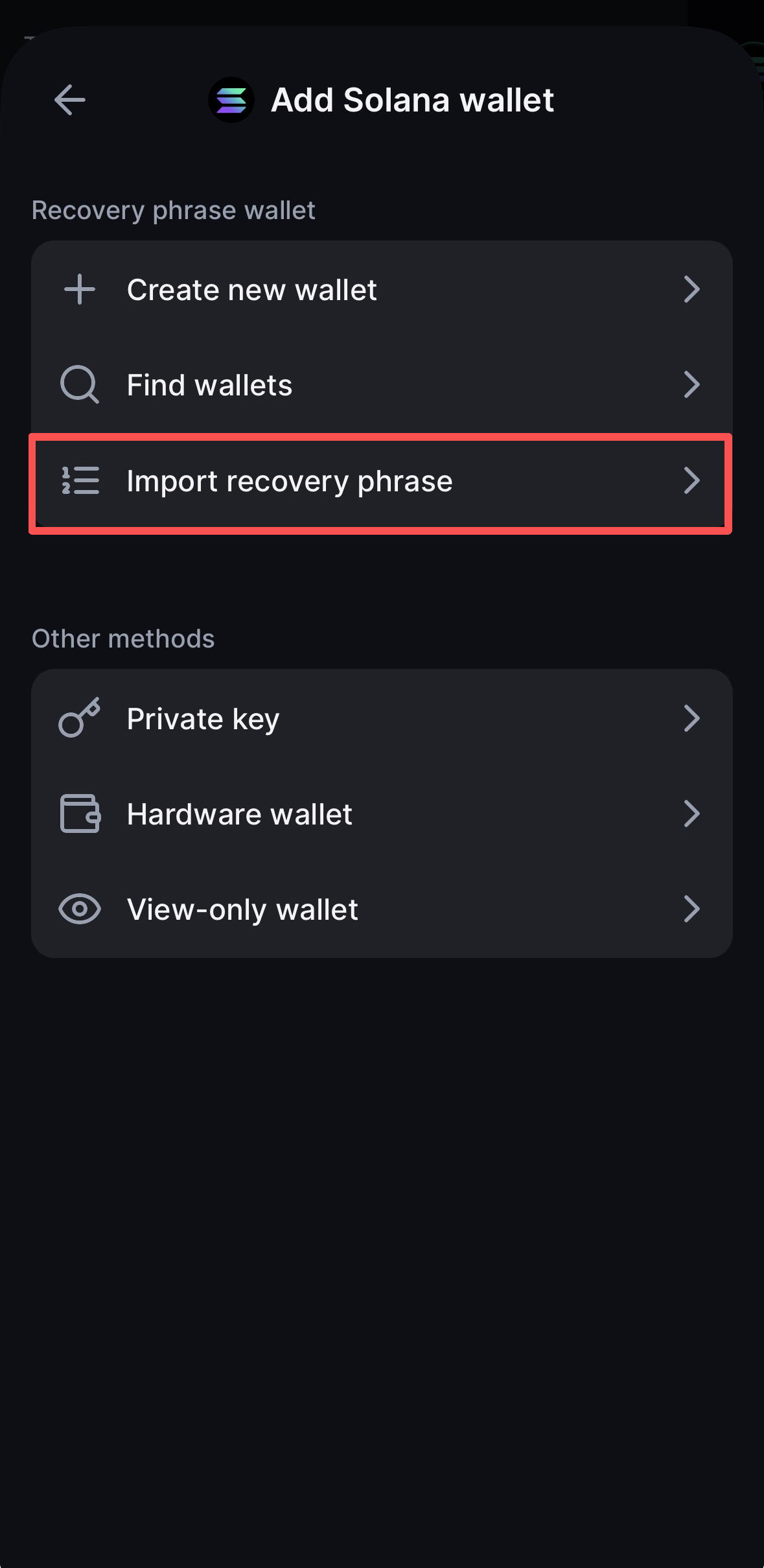
4. Выберите **Import recovery phrase** и введите фразу восстановления.
* **Примечание:** Если вы используете фразу из 24 слов, выберите **Use 24 words**, чтобы расширить поле ввода.
5. После ввода **фразы восстановления из 12 или 24 слов** установите флажок подтверждения в нижней части экрана, затем выберите **Find wallets**.
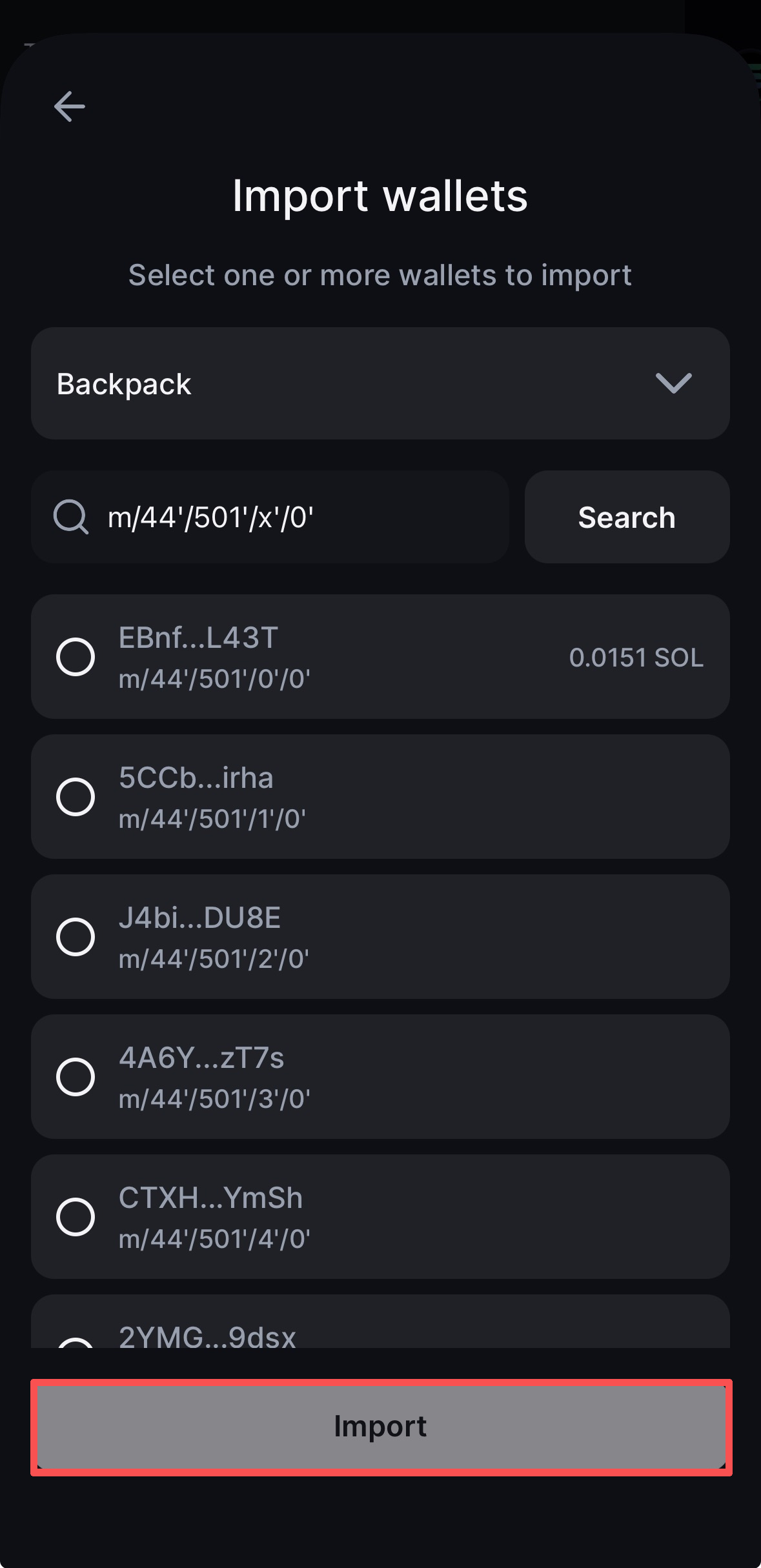
6. Выберите кошелёк с балансом, который хотите импортировать, затем нажмите **Import**.
{% hint style="info" %}
Если нужный кошелёк не найден, см. раздел [**Не удаётся найти кошелёк? Используйте Advanced** ](broken://pages/zLxcP1FRjwugI9t2kSmA#cant-find-your-wallet-use-advanced)ниже.
{% endhint %}
***
### Импорт или восстановление Backpack Wallet с помощью seed-фразы (расширение браузера)
1. Нажмите значок профиля в левом верхнем углу, затем выберите **Add account**.
2. Введите название кошелька, затем выберите **Continue**.
3. Выберите **I already have a wallet**.
4. Выберите сеть.
5. Выберите **Recovery phrase**, введите фразу восстановления, затем нажмите **Import**.
6. Выберите кошелёк с балансом, который хотите импортировать, затем нажмите **Import**.
{% hint style="info" %}
Если нужный кошелёк не найден, см. раздел [**Не удаётся найти кошелёк? Используйте Advanced** ](broken://pages/zLxcP1FRjwugI9t2kSmA#cant-find-your-wallet-use-advanced)ниже.
{% endhint %}
***
### Не удаётся найти кошелёк? Используйте Advanced
Если нужный кошелёк отсутствует в списке кошельков с балансом:
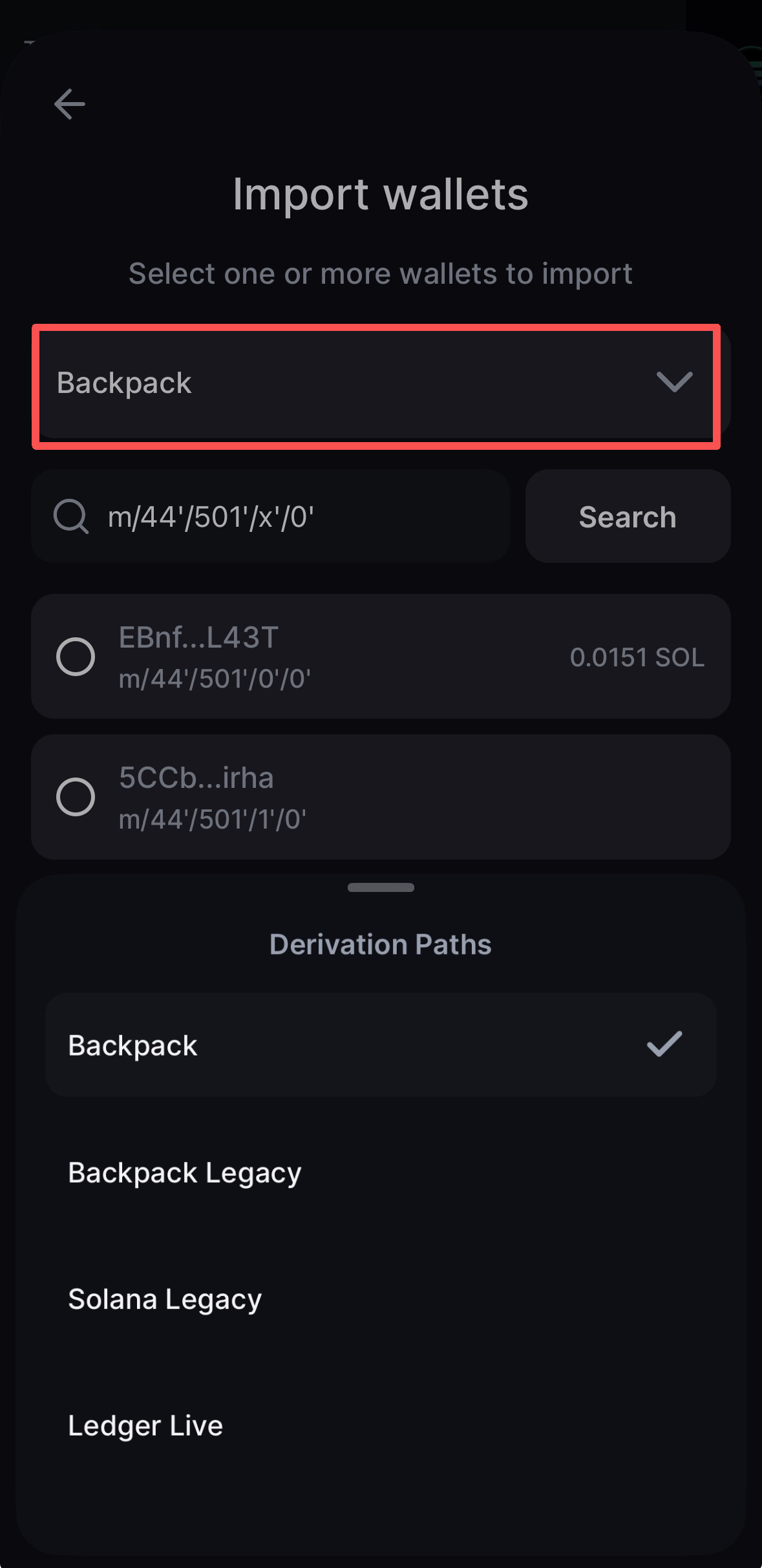
1. Выберите **Advanced**.
2. Выберите подходящий **Derivation Path**, например **Backpack**, **Backpack Legacy**, **Solana Legacy** или **Ledger Live**.
3. Найдите нужный адрес среди доступных адресов кошельков, выберите кошелёк, который хотите добавить, затем нажмите **Import**.
> **Примечание:** Разные приложения и старые версии кошельков могут использовать разные пути деривации. Если ожидаемый адрес не отображается при выборе варианта по умолчанию, попробуйте путь деривации, связанный с кошельком, который вы использовали ранее.
---
# Agent Instructions
This documentation is published with GitBook. GitBook is the documentation platform designed so that both humans and AI agents can read, navigate, and reason over technical content effectively. Learn more at gitbook.com.
## Querying This Documentation
If you need additional information that is not directly available in this page, you can query the documentation by asking a question.
Perform an HTTP GET request on the following URL with the `ask` and `goal` query parameters:
```
GET https://support.backpack.exchange/support-docs/ru/koshelyok/nachalo/import-vosstanovlenie-koshelka.md?ask=&goal=
```
`ask` is the immediate question: it should be specific, self-contained, and written in natural language.
`goal` is what the user is ultimately trying to achieve, the reason they need the answer. Sharing it helps GitBook give you a better, more relevant answer. A goal is most helpful when it describes the outcome the user wants rather than restating the question. For example, with `ask=how do I create an API token`, a goal like `automate deployments from our CI pipeline` lets GitBook tailor the answer to that use case.
The response will contain a direct answer to the question and relevant excerpts and sources from the documentation.
Use this mechanism when the answer is not explicitly present in the current page, you need clarification or additional context, or you want to retrieve related documentation sections.