> For the complete documentation index, see [llms.txt](https://support.backpack.exchange/llms.txt). Markdown versions of documentation pages are available by appending `.md` to page URLs; this page is available as [Markdown](https://support.backpack.exchange/exchange/trading/convert.md).
# Convert
### What is Convert?
Convert is Backpack’s **simple token swap** feature.
Instead of trading on an order book, Convert uses an **RFQ** flow:
* You request a quote for swapping **Token X → Token Y**
* Professional market makers compete to return the **best available price**
* You confirm and the swap settles instantly
**RFQ = Request for Quote**\
It simply means: *“I want to swap X for Y — what’s your best price right now?”*
#### Quick Reference
| Item | Value |
| ---------------- | ------------------------ |
| Quote validity | 2 minutes |
| Default slippage | 1% |
| Max slippage | 5% |
| Fee display | Included in quoted price |
| Borrowing | Not available in Convert |
***
### Why Use Convert Instead of the Order Book?
| Concern | Order Book | Convert |
| ------------------- | ------------------------------------------------------ | ----------------------------------------- |
| **Price certainty** | Market orders may slip | You see the final quote before confirming |
| **Large swaps** | Large orders may “walk the book” and get worse fills | Market makers quote a price for your size |
| **Partial fills** | Can fill at multiple prices | Fills all at once at the quoted price |
| **Ease of use** | Requires understanding spreads, depth, and order types | Enter amount → review quote → tap Convert |
{% hint style="info" %}
**Tip:** Convert is designed for simple swaps. For limit orders or active trading, use the Order Book.
{% endhint %}
### When to Use Each?
| Scenario | Recommended |
| ----------------------------------------------- | -------------------------------- |
| **Quick swap (any size)** | **Convert** |
| **Large swap (minimise slippage)** | **Convert** |
| You want a **specific limit price** | **Order Book** |
| You want to **see market depth** | **Order Book** |
| You want a simple, beginner-friendly flow | **Convert** |
| You trade actively or need advanced controls | **Order Book** |
| You want to **sell more than you hold (short)** | **Order Book (Margin required)** |
{% hint style="info" %}
**Key points:**
* **Convert** is best for fast, simple swaps with a quoted price.
* **Order Book** is best when you need control (e.g., limit price, depth, shorting).
{% endhint %}
***
### How Convert Works?
Go to [**Backpack Exchange**](https://backpack.exchange/) on the web or open the [**Backpack app**](https://backpack.app/) on mobile, then log in to your account.
> New to Backpack? [Create an account on the web](/exchange/exchange-account/create-a-new-account/how-to-create-an-account-on-the-web.md) or [on mobile](/exchange/exchange-account/create-a-new-account/how-to-create-an-account-on-mobile.md) to get started.
1. **Open Convert**
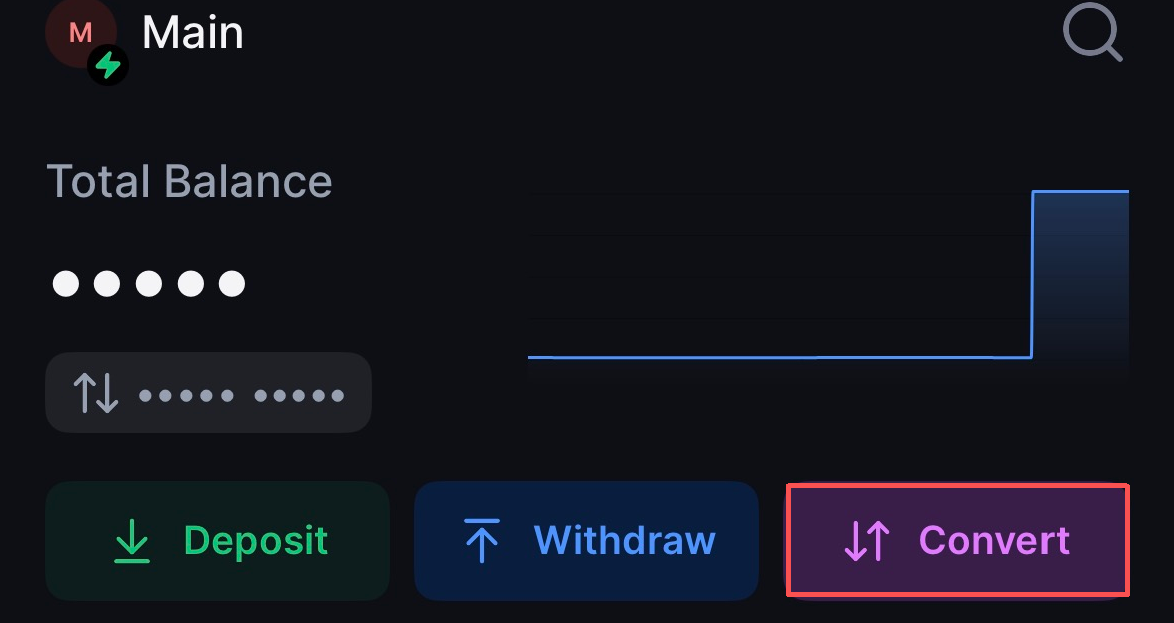
* **On mobile:** Tap **Home**, then tap **Convert** in the top-right corner.
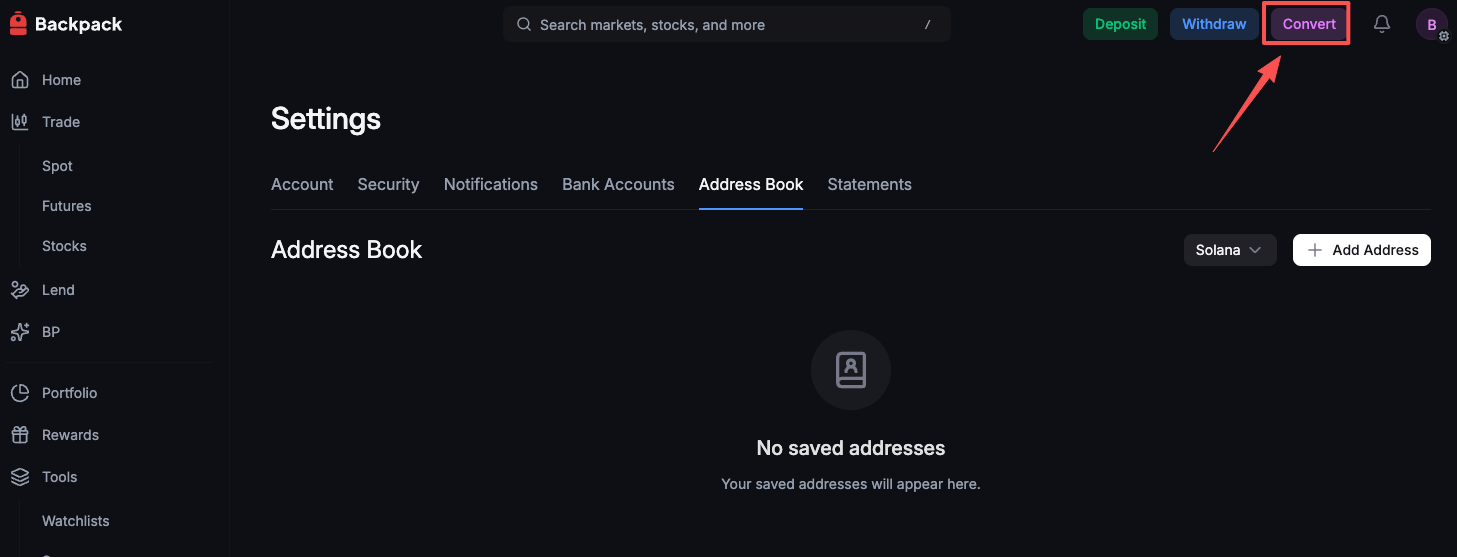
* **On web:** After logging in, click **Convert** in the top-right corner.
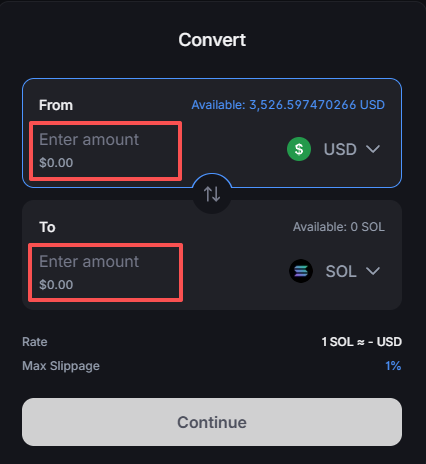
2. **Select tokens** — Choose what you're swapping from and to
3. **Enter amount** — Type either the amount you want to sell OR the amount you want to receive
4. **Adjust slippage** — Set your slippage tolerance
> *Slippage is a price cushion that applies only if the quote expires while you confirm. The default is **1%** (max **5%**), and in most cases you’ll receive the exact price shown. Slippage only applies as a safety net if timing is tight.*
5. **See quote** — Market makers respond with their best price (usually within milliseconds)
> *Note: Market makers have **up to 1 minute** to respond. You have **2 minutes** to accept the quote. If the quote expires, the app automatically fetches a **new quote**.*
6. **Confirm** — Review the price and tap Convert
7. You can view your **Convert History** [here](https://backpack.exchange/portfolio/trades/convert-history)
***
### Fees
Fees are **built into the price you see**. There are no hidden charges or separate fee lines.
**Example:** If you're selling SOL and the screen shows you'll receive $149.85 USDC — that's exactly what you'll get. The fee has already been factored in.
***
### Frequently Asked Questions
What happens if no quote arrives?
In rare cases where no market maker responds:
* The screen shows "Fetching quote..."
* After 2 minutes, the request expires and a new one is automatically submitted
* This continues as long as you're on the Convert screen
In practice, market makers typically respond within milliseconds, so this is uncommon.
Why can’t I convert all my tokens?
Some of your tokens may be locked as **collateral** for:
* open positions, or
* active borrows
You can only convert the amount that is **not backing other positions**.
The price changed when I tapped Convert. Why?
Convert uses time-sensitive quotes. If your original quote **expired** before you confirmed, your swap was executed at the **next available quote** within your **slippage tolerance**.
This is expected behavior and helps prevent failed swaps during fast market moves.
**What to do next**
* Try again with a fresh quote.
* If needed, adjust your slippage tolerance (1%–5%).
Why is Convert unavailable?
Convert may be unavailable if:
* the token pair is **not supported**, or
* your account is currently in **liquidation** (Convert is paused during liquidations)
**What to do next**
* Confirm the token pair is supported.
* If your account is in liquidation, wait until liquidation ends before using Convert.
Can I set a limit price in Convert?
No. Convert is designed for fast, simple swaps and does not support limit prices.
If you want to set a specific price, use the **Trading** interface and place a **limit order**.
---
# Agent Instructions
This documentation is published with GitBook. GitBook is the documentation platform designed so that both humans and AI agents can read, navigate, and reason over technical content effectively. Learn more at gitbook.com.
## Querying This Documentation
If you need additional information that is not directly available in this page, you can query the documentation by asking a question.
Perform an HTTP GET request on the following URL with the `ask` and `goal` query parameters:
```
GET https://support.backpack.exchange/exchange/trading/convert.md?ask=&goal=
```
`ask` is the immediate question: it should be specific, self-contained, and written in natural language.
`goal` is what the user is ultimately trying to achieve, the reason they need the answer. Sharing it helps GitBook give you a better, more relevant answer. A goal is most helpful when it describes the outcome the user wants rather than restating the question. For example, with `ask=how do I create an API token`, a goal like `automate deployments from our CI pipeline` lets GitBook tailor the answer to that use case.
The response will contain a direct answer to the question and relevant excerpts and sources from the documentation.
Use this mechanism when the answer is not explicitly present in the current page, you need clarification or additional context, or you want to retrieve related documentation sections.